Uniview
Device Information:
- Device: Uniview Device Model
- Vendor: Uniview
- Model: Various
- Firmware: Compatible versions
- Platform: GC-X-ONE
- Doc Version: 1.0.0
Summary
- Purpose: Configure Uniview devices to integrate seamlessly with GC-X-ONE platform for video surveillance and monitoring.
- Outcome: Enhanced functionality with network configuration, time synchronization, and alarm management through GC-X-ONE integration.
- Audience: Field engineer / Support.
Prerequisites
- Administrative access to Uniview device configuration
- Network connectivity to device
- Proper firewall configuration for device communication
Device Profile
- Type: IP Camera/Video Surveillance Device
- Discovery: ONVIF/HTTP Protocol
- Events: Alarm-based notifications and alerts
- Ports: HTTP/HTTPS, RTSP
- Known quirks: Requires proper network configuration for device communication. Time synchronization via NTP servers crucial for accurate logging. Alarm configuration needed for event notifications.
Core Functions
- Live: Supported
- Events: Supported (Alarm-based)
- Time Sync: NTP Supported
- Network Configuration: Supported
- Basic Setup: Supported
Steps
Step 1 — Network Configuration
-
UI path: Uniview Device → Network Settings
-
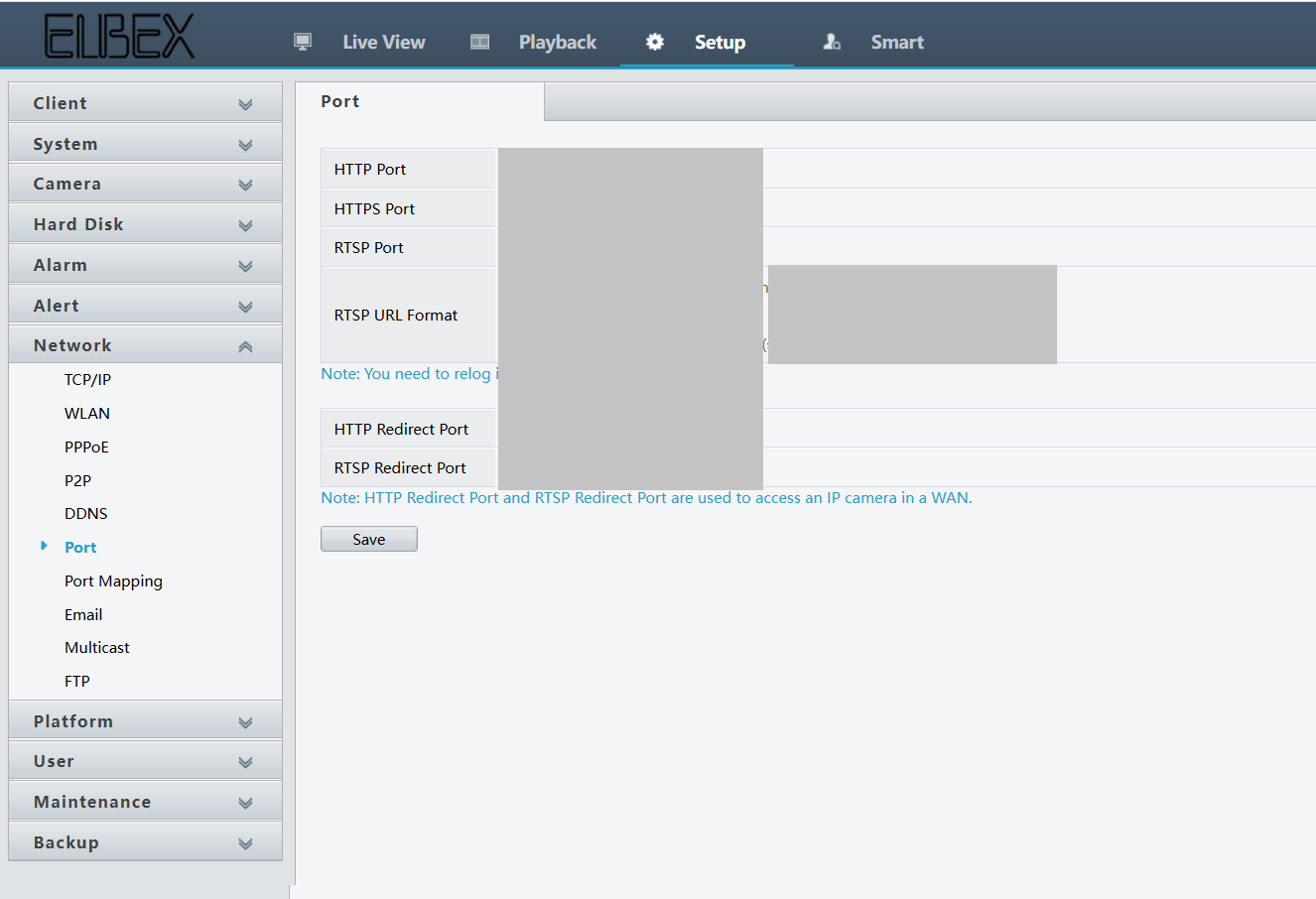
Configure Network Settings
- Set up the client's network settings so it can communicate with other devices or servers
- Configure IP address (static or DHCP), subnet mask, default gateway, DNS servers, and possibly proxy settings
- Proper network configuration ensures the client device can access local network resources and the internet securely and reliably

-
Expected result: Network connectivity established for device communication
Step 2 — Time Configuration
-
UI path: Uniview Device → Time Settings
-
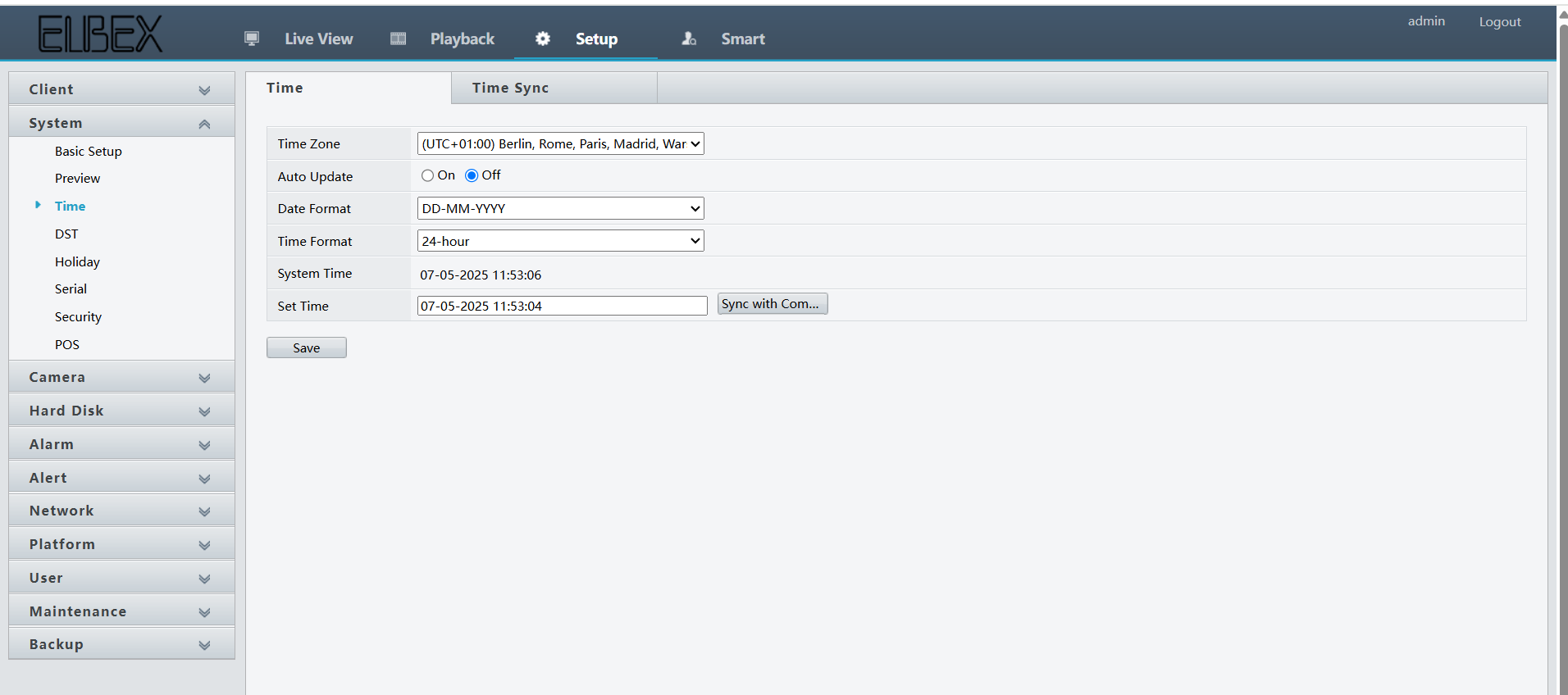
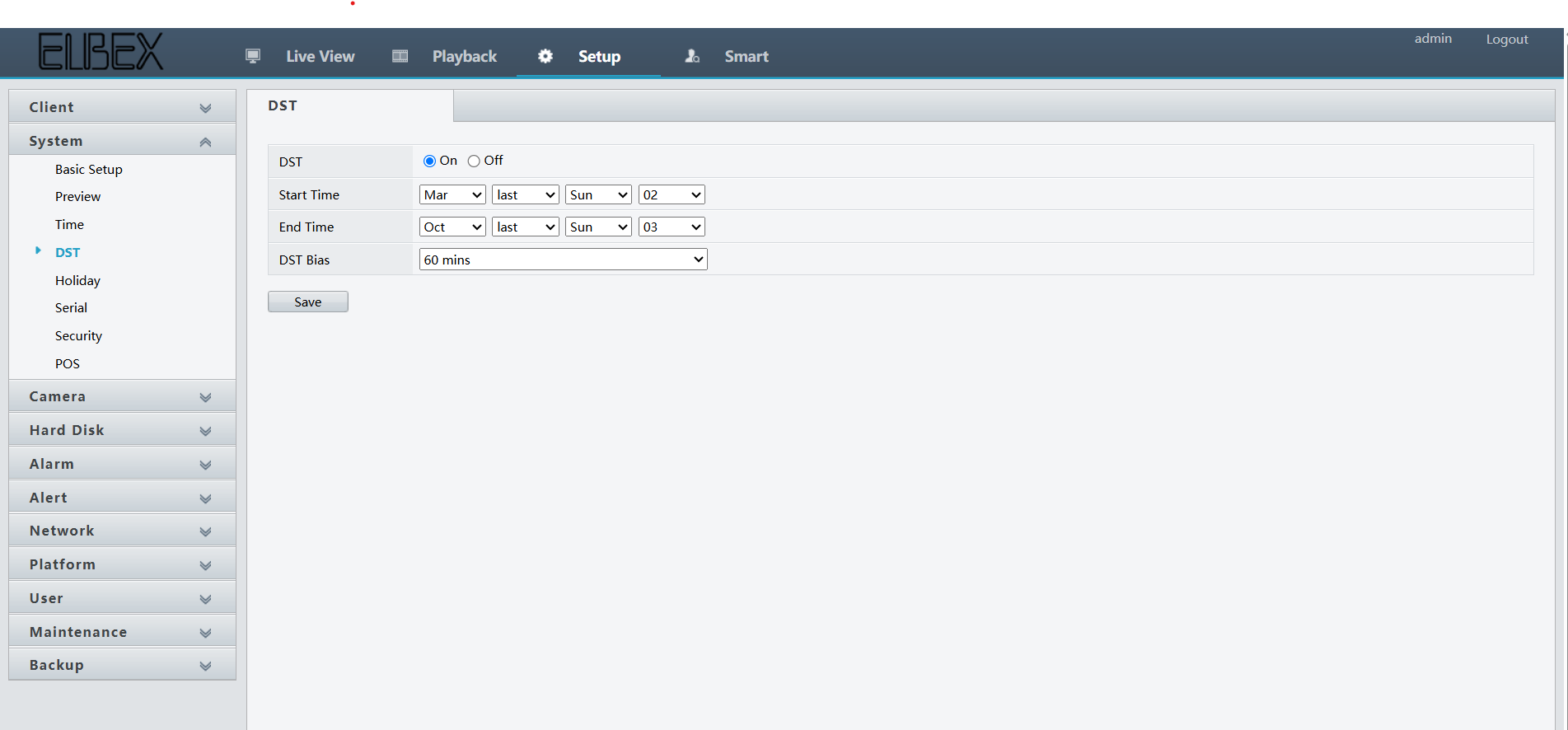
Configure Time Settings
- Set the correct time, date, and time zone on the client device
- Time synchronization is often handled via NTP (Network Time Protocol) servers
- Accurate time configuration is crucial for logging, security protocols (like SSL/TLS), and scheduled tasks to function correctly
-
Expected result: Time synchronization configured with NTP servers
Step 3 — Alarm Configuration
-
UI path: Uniview Device → Alarm Settings
-
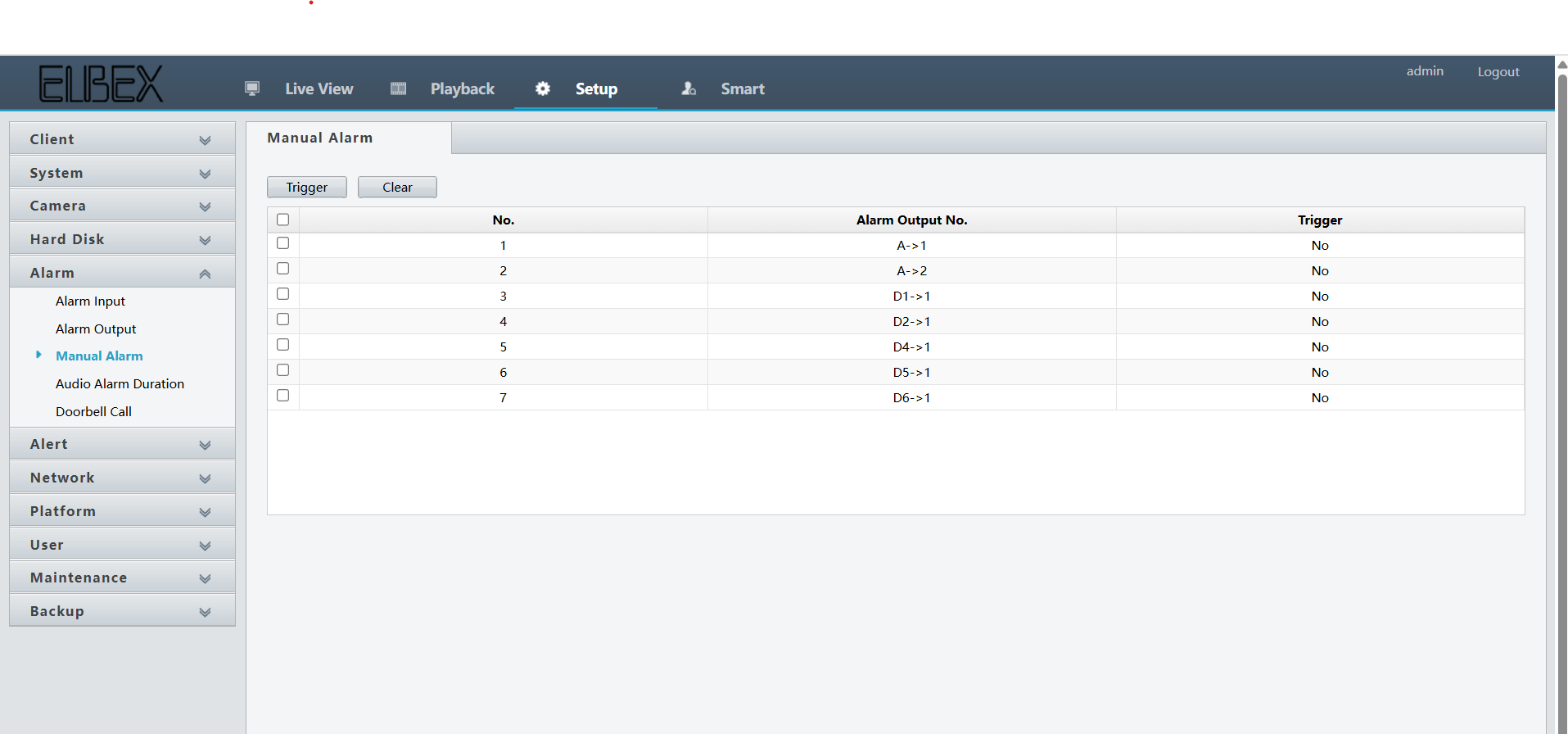
Configure Alarm Settings
- Alarm configuration allows the client device to generate alerts or notifications based on certain events or conditions, such as system failures, high resource usage, or connectivity issues
- These alarms can be set to trigger visual indicators, sounds, or even send notifications via email or SMS, depending on the system's capabilities
-
Expected result: Alarm notifications configured for event detection
Step 4 — Basic Setup
-
UI path: Uniview Device → Basic Settings
-
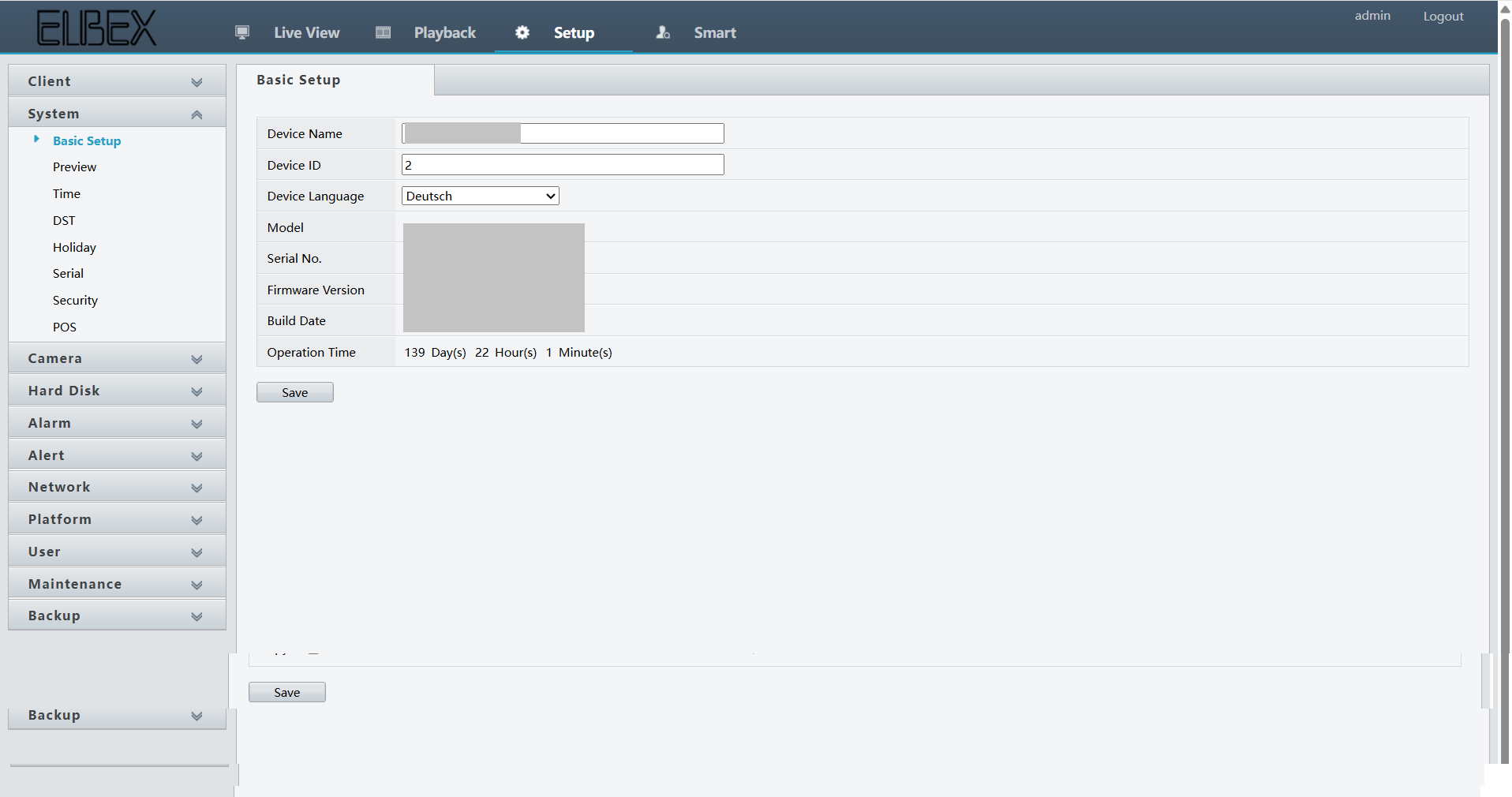
Configure Basic Settings
- Basic setup refers to the initial configuration of the client device to prepare it for operation
- This can include language and region settings, setting up user accounts, installing essential software, configuring input/output devices, and performing initial security configurations (like enabling firewalls or antivirus)
-
Expected result: Basic device configuration completed
Step 5 — Configure Device in GC-X-ONE
-
UI path: GC-X-ONE → Configuration App → Site → Devices → Add
-
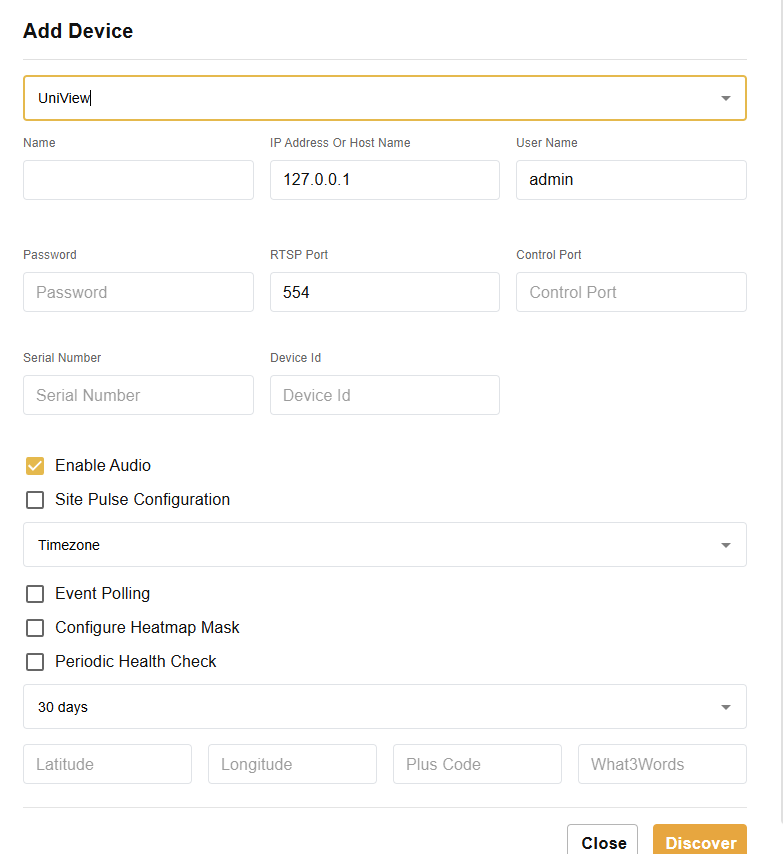
Add Device in GC-X-ONE
- Login to GC-X-ONE
- Navigate to configuration app
- Navigate to Site → Devices → Add
- Provide the mandatory details
- Click on Discover
- Click Save
-
Expected result: Uniview device successfully added and discovered in GC-X-ONE
Step 6 — Verify Integration
-
Checks
- Verify network connectivity is working
- Test time synchronization with NTP servers
- Confirm alarm notifications are functioning
- Check basic settings are properly applied
- Verify device discovery in GC-X-ONE
-
Expected result: Complete Uniview integration with GC-X-ONE platform
Troubleshooting
-
Network connectivity issues
- Verify IP address, subnet mask, and gateway configuration
- Check DNS server settings
- Ensure proxy settings are correct if applicable
- Test local network access and internet connectivity
-
Time synchronization problems
- Verify NTP server is reachable
- Check time zone settings
- Ensure network connectivity allows NTP traffic
- Confirm accurate time configuration for logging and security
-
Alarm configuration issues
- Check alarm trigger conditions and thresholds
- Verify notification methods (email, SMS) are properly configured
- Test alarm generation for various event conditions
- Ensure visual and audio indicators are working
-
Basic setup problems
- Verify language and region settings
- Check user account configuration
- Ensure security configurations (firewall, antivirus) are properly set
- Confirm input/output device configurations
-
GC-X-ONE integration issues
- Verify device credentials and connection details
- Check device discovery process
- Ensure proper network connectivity between device and GC-X-ONE
- Confirm device compatibility with GC-X-ONE platform
Notes
- Proper network configuration is essential for device communication
- Time synchronization via NTP servers is crucial for accurate logging and security protocols
- Alarm configuration enables event-based notifications and alerts
- Basic setup includes initial device preparation for operation
- All configurations should be tested after implementation
Change log
- 2025-09-04 v1.0.0 Initial GC-X-ONE aligned doc (converted from original format)