Understanding the GCXONE Hierarchy Model
The GCXONE platform uses a 5-level hierarchical structure to organize security assets, manage access control, and ensure data isolation. Understanding this hierarchy is essential for effective platform administration and configuration.
5 Levels
Complete Organization
Core Benefits
Data Isolation
Complete separation between tenants and customers
Access Control
Granular permission management at every level
Scalability
Easy organization for organizations of any size
Asset Tracking
Accurate tracking of devices and alarms
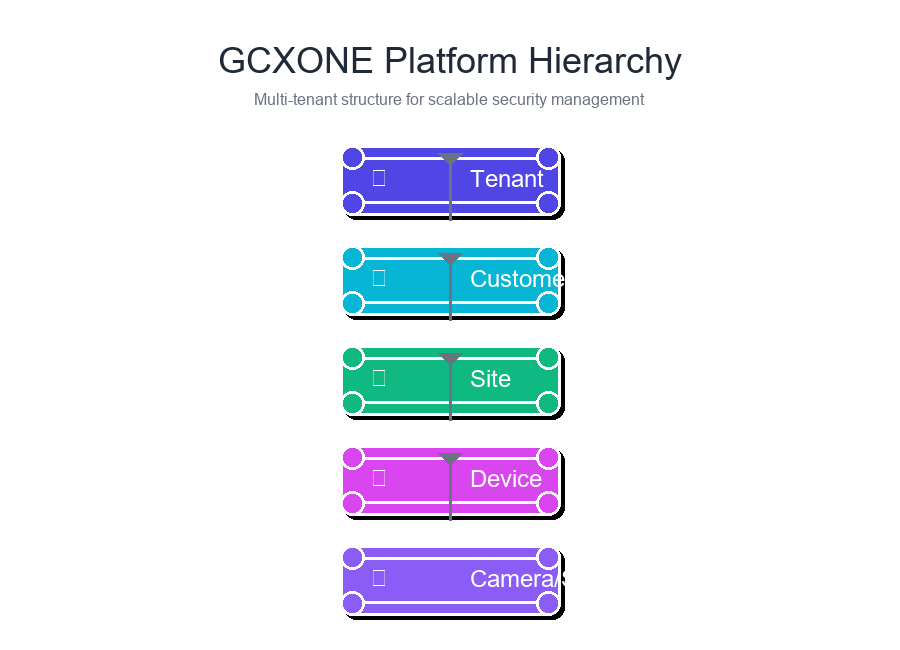
The 5-Level Hierarchy Structure
- 🏢 Tenant
- 👤 Customer
- 📍 Site
- 📟 Device
- 🎥 Camera/Sensor
Level 1: Tenant
Top-level organization with completely isolated data and configuration
Key Characteristics
- Complete Data Isolation: Each tenant operates in its own dedicated space
- Independent Configuration: Custom settings, branding, and integrations
- Subdomain Access: Unique subdomain (e.g.,
company.nxgen.cloud) - Multi-Customer Support: Can serve multiple customers (MSSP model)
Common Use Cases
- Managed Security Service Providers (MSSPs)
- Large enterprises with multiple divisions
- Service providers offering white-label solutions
Example Structure
Tenant: "Security Solutions Inc."
├─ Customer: "Retail Chain A"
├─ Customer: "Manufacturing Corp B"
└─ Customer: "Healthcare Group C"
Level 2: Customer
Individual clients or sub-organizations within a tenant
Key Characteristics
- Client Organization: Distinct organization or business unit
- Isolated Data: Customer data completely separate from others
- Custom Configuration: Site-specific settings and device configs
- User Management: Customer-level user accounts and permissions
Common Use Cases
- Individual businesses served by an MSSP
- Different divisions within a large enterprise
- Separate legal entities under a parent organization
Example Structure
Customer: "Retail Chain A"
├─ Site: "Downtown Store"
├─ Site: "Mall Location"
└─ Site: "Warehouse Facility"
Level 3: Site
Physical location (building, facility, or geographic area)
Key Characteristics
- Physical Location: Real-world address and geographic coordinates
- Talos Synchronization: Automatically syncs with Talos CMS
- Device Grouping: All devices at location grouped under site
- Address Mapping: Used for mapping, routing, and location services
Synchronized Data: Site names, addresses, contact info, coordinates, and configuration parameters are automatically synchronized with Talos CMS via MQTT messaging.
Example Structure
Site: "Downtown Store"
├─ Device: "Main Entrance NVR"
├─ Device: "Parking Lot Camera System"
└─ Device: "Back Office DVR"
Technical Implementation
- Synchronization via MQTT messaging
- Real-time updates ensure consistency
- Error handling and retry logic
- Bidirectional synchronization
Level 4: Device
Security hardware (NVR, DVR, alarm panel, or IoT gateway)
Device Types
- NVR - IP camera recording
- DVR - Analog camera recording
- Alarm Panels - Intrusion detection
- IoT Gateways - Smart sensors
Critical: Each device must have a unique Server Unit ID. Duplicate IDs cause alarm attribution conflicts.
Required Configuration
- ✅ Unique Server Unit ID
- ✅ IP Address & Port
- ✅ Authentication Credentials
- ✅ NTP Configuration
Example Structure
Device: "Main Entrance NVR"
├─ Camera: "Front Door Camera"
├─ Camera: "Lobby Camera"
└─ Camera: "Reception Desk Camera"
Level 5: Camera/Sensor
Individual cameras, sensors, or IoT devices connected to a device
Sensor Types
- 📹 Video Cameras
- 🚶 Motion Sensors
- 🚪 Door Sensors
- 🌡️ IoT Sensors
Key Characteristics
- Individual Channel: Separate channel on device
- Automatic Discovery: Discovered when devices added
- Sensor Information: I/O info pulled from devices
- Alarm Attribution: Can trigger alarms and events
Example Configuration
Camera: "Front Door Camera"
├─ Capabilities:
│  • Live Stream
│  • Playback
│  • PTZ Control
├─ Analytics:
│  • Motion Detection
│  • Line Crossing
└─ Status: Online, Recording
Hierarchy Benefits
Data Isolation
Complete separation at every level ensures customer data never spills over between tenants, customers, or sites.
Access Control
Granular permissions enable precise access management. Users can be granted access to specific customers, sites, or devices.
Scalability
Supports organizations of any size, from small businesses with few sites to enterprises with hundreds of locations.
Common Hierarchy Patterns
Single Organization
Tenant: "My Company"
└─ Customer: "My Company"
  └─ Site: "Headquarters"
      └─ Device: "Main NVR"
Multi-Location Business
Tenant: "Retail Corp"
└─ Customer: "Retail Corp"
  ├─ Site: "Store 1"
  ├─ Site: "Store 2"
  └─ Site: "Store 3"
MSSP Model
Tenant: "Security Provider"
├─ Customer: "Client A"
│   ├─ Site: "Office"
│   └─ Site: "Warehouse"
└─ Customer: "Client B"
  ├─ Site: "Retail Store"
  └─ Site: "Distribution"
Integration with Talos CMS
🔗 Seamless Integration
Automatic Synchronization
- ✅ Sites created in GCXONE automatically appear in Talos
- ✅ Alarms attributed to correct site and device
- ✅ Bidirectional updates maintain consistency
- ✅ Events correlated based on hierarchy relationships
Technical Implementation
- MQTT Messaging: Real-time synchronization
- Dedicated Proxies: Handle message routing
- Error Handling: Retry logic maintains reliability
- Event Correlation: Hierarchy-based event matching
For more information, see .
Best Practices
✅ Do's
- Use clear, consistent naming conventions
- Ensure site addresses are accurate for Talos sync
- Always assign unique Server Unit IDs
- Organize sites and devices logically
- Document tenant-specific configurations
❌ Don'ts
- Don't reuse Server Unit IDs across devices
- Don't use vague or ambiguous names
- Don't skip address validation for sites
- Don't mix different customer data
- Don't ignore hierarchy when setting permissions
Related Articles
Need Help?
If you need assistance understanding or configuring the hierarchy model, please contact support for assistance.