Dahua Cloud ARC
Introduction
This documentation provides a comprehensive overview of the Dahua Dolynk configuration process. Designed to be straightforward and user-friendly, this guide will walk you through each step to ensure a smooth setup. Whether you are new to DahuaDolynk or simply need a refresher, this document will equip you with all the necessary information to configure the system efficiently and effectively.
Prerequisites
Before configuring the device in GCX-ONE, collect and provide the following information to NXGEN:
- Device Serial Number (SN)
- Username
- Password
Ensure the device is online before proceeding.
Configure Device in Dolynk Care
Step 1: Log in to your Dolynk Care account through this URL.
Step 2: Navigate to Site and click Add.
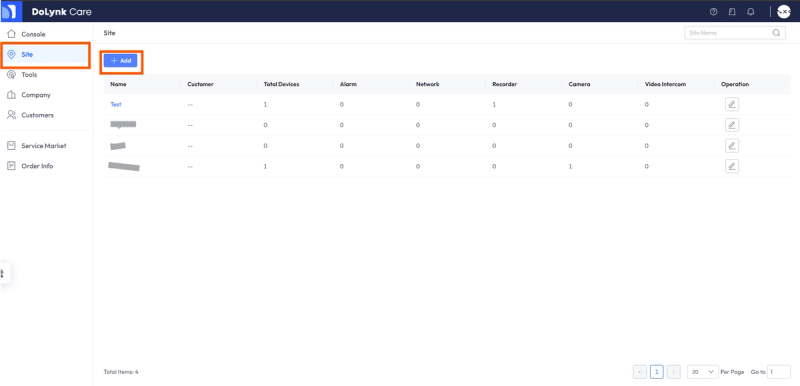
Step 3: Enter the site details (e.g., Time Zone and Name).
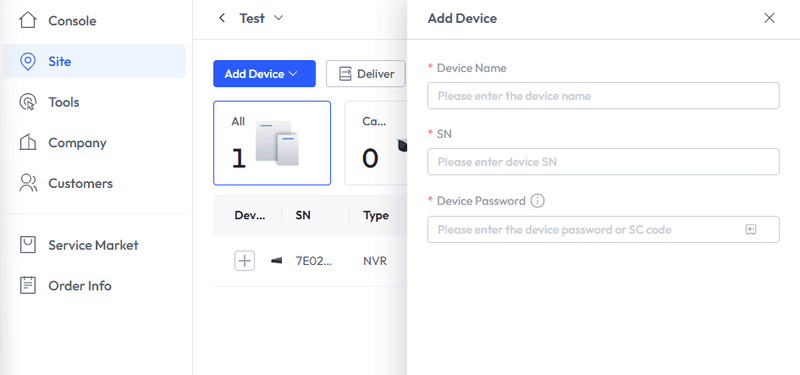
Step 4: Open the newly created site and click Add Device via Serial Number (SN). Enter the required device details.
Note: Ensure the device is online before adding it.
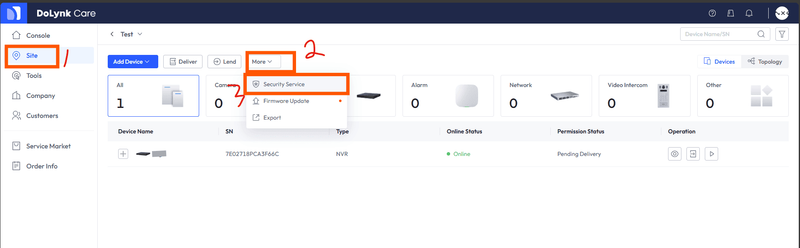
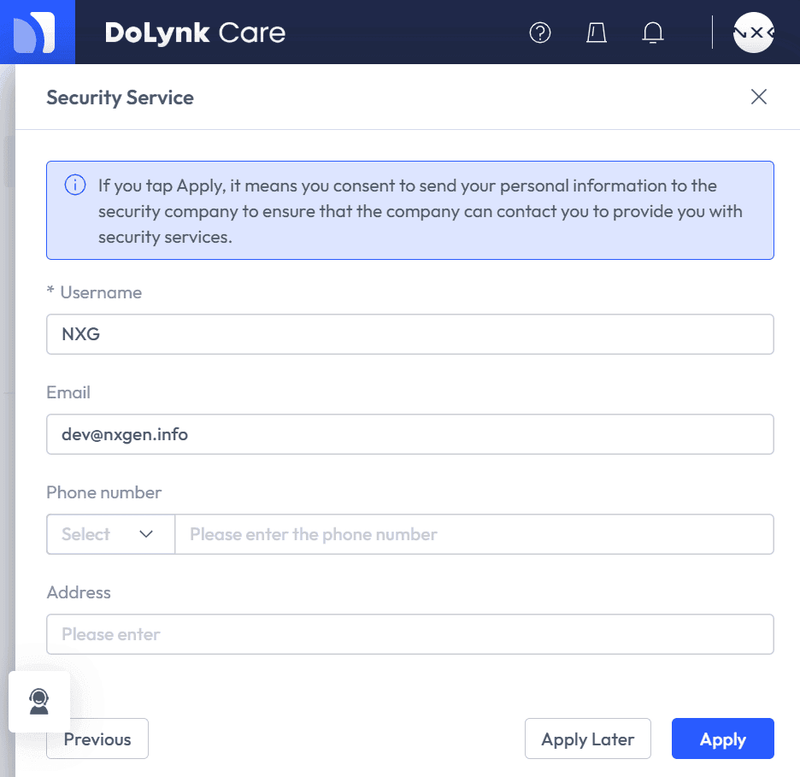
Step 5: Now that the device is added to your Dolynk Care account, we need to set up GCX-ONE as your ARC (Alarm Receiving Center) for that device by selecting the Security Service option as per Screenshot:
Step 6: In the menu that shows, select the device/sensors that you want to share with GCX-ONE then click on Next, in the Company Name/email field please use our email to search (dev@nxgen.info), once that is done, you should see NXGEN Technology AG, click on the shield icon next to it, please note that your request will be automatically approved
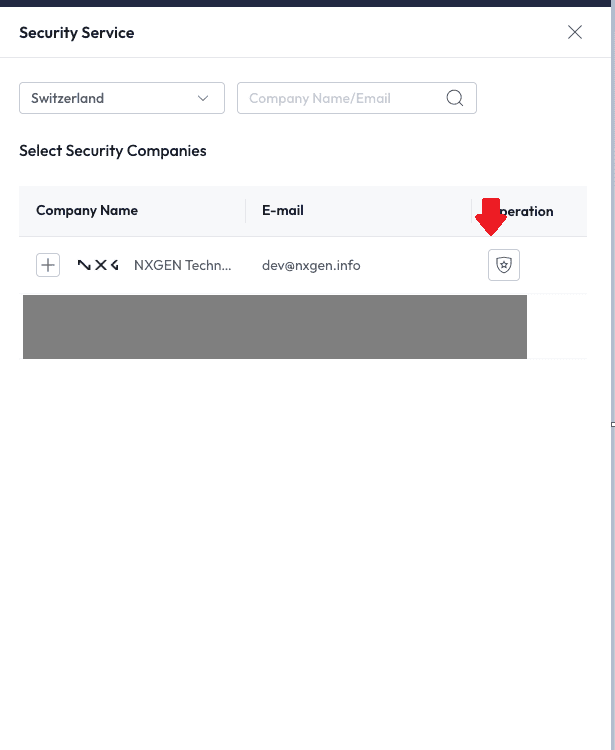
Step 7: Click on Apply to save and notify your ARC.
DahuaCloudArc Config Guide with GCX-ONE
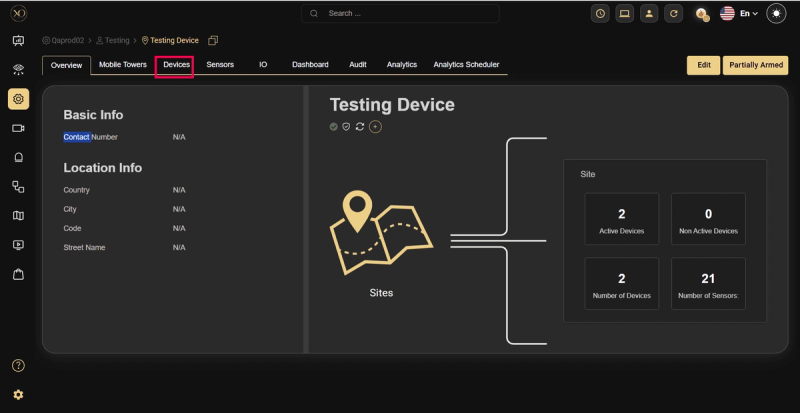
Step 1: Navigate to the Devices tab
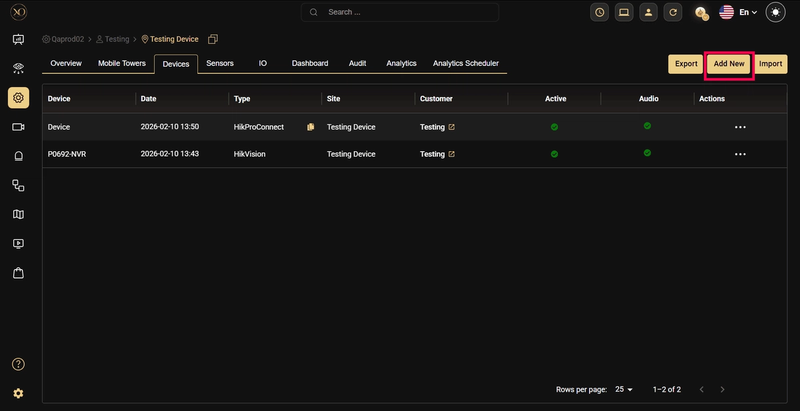
Step 2: Click the Add button.
Step 3: The Add Device dialog will be displayed.
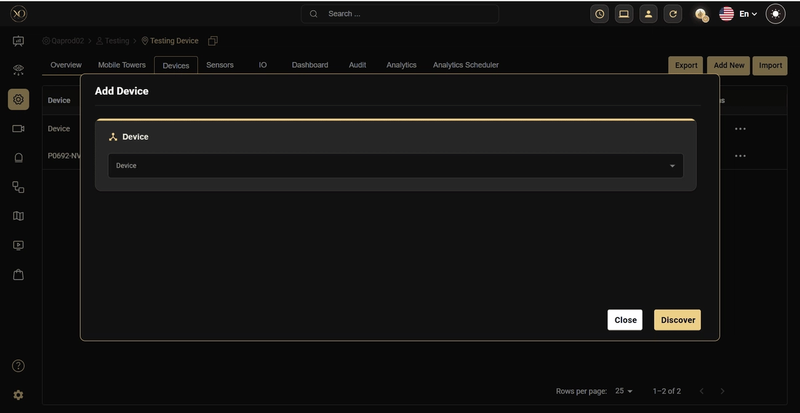
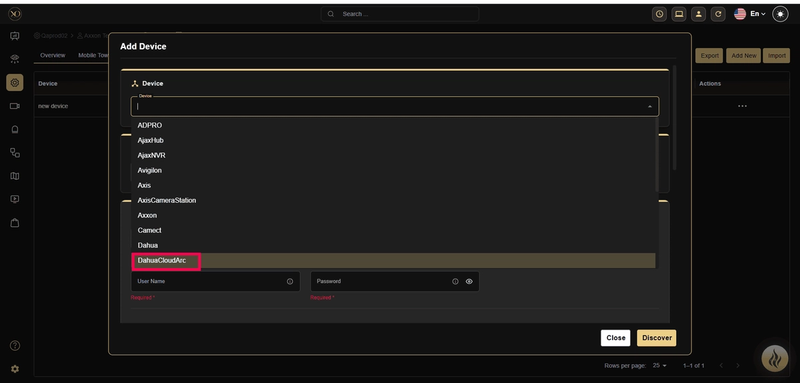
Step 4: In the dialog, open the Device dropdown and select DahuaCloudArc
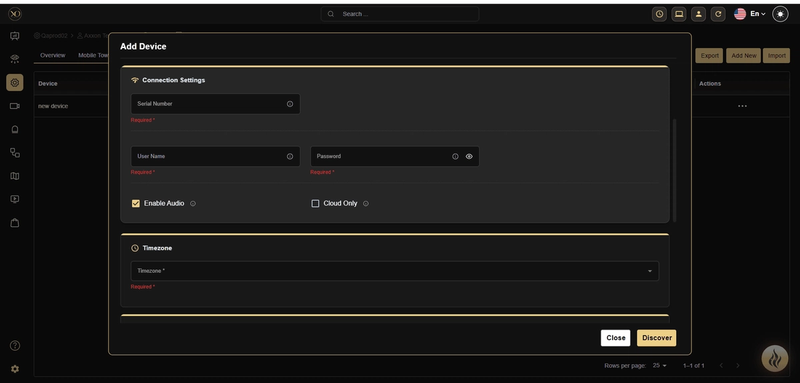
Step 5: Enter all required fields: Name, Serial number, User name, Password, Timezone.
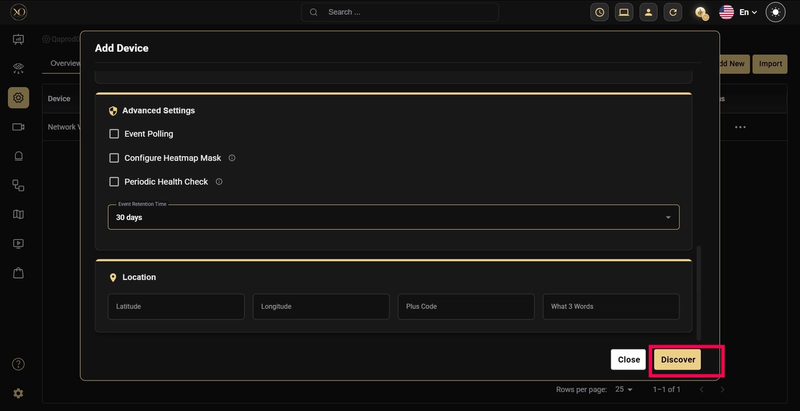
Step 6: Click Discover
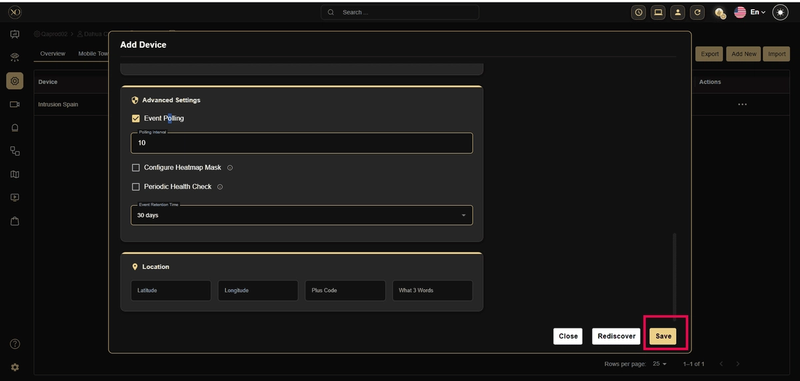
Step 7: Once the device is successfully discovered, click Save.
These steps and explanations will help you configure the DahuaCloudArc device into GCX-ONE.
If any issues arise with the configuration, please raise a ticket on NXGEN's Help-desk portal to the NXGEN support team for swift issue resolution.