Vivotek Vortex
Introduction
Vivotek Vortex is a cloud-based video surveillance platform. This integration enables users to onboard, monitor, and manage Vivotek Vortex devices directly within GCXONE without switching between multiple platforms.
Device Profile
- Type — Cloud-based Video Device
- Live Streaming — Supported
- Playback — Supported
- Events — Supported
- I/O Control — Supported
- Health Check — Supported
- Arm/Disarm — Supported
Prerequisites
Before adding Vivotek Vortex devices to GCXONE, ensure the following:
- Required configurations are completed in the Vivotek Vortex portal
- API Key is available
- External Group ID is available
- Custom properties are configured at the Service Provider level — required for device discovery to work
Note: Custom properties must be configured at the Service Provider level. GCXONE does not currently have a UI for configuring custom properties directly.
Vivotek Vortex Configuration Guide with GCXONE
Step 1 — Log in to GCXONE
Step 2 — Navigate to the Devices section
Step 3 — Click Add Device
Step 4 — Select Vivotek Vortex from the device type list
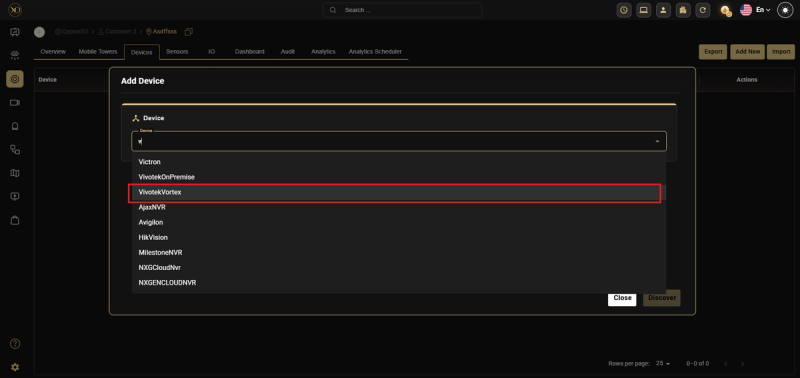
Step 5 — Enter the required details:
- Device Name
- API Key
- External Group ID
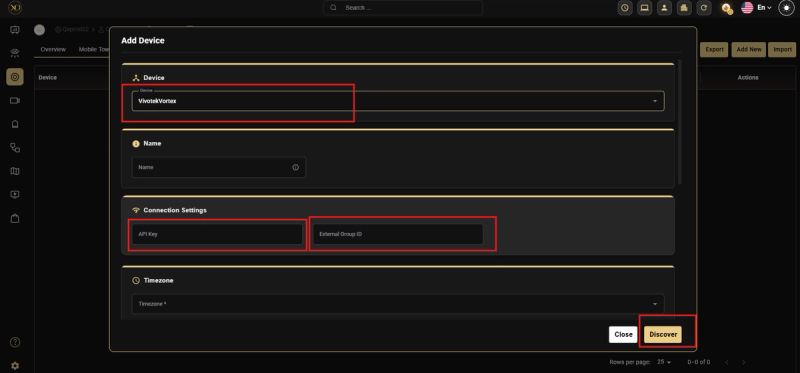
Step 6 — Click Discover to fetch available cameras
Step 7 — Verify the listed cameras and their status (enabled/disabled)
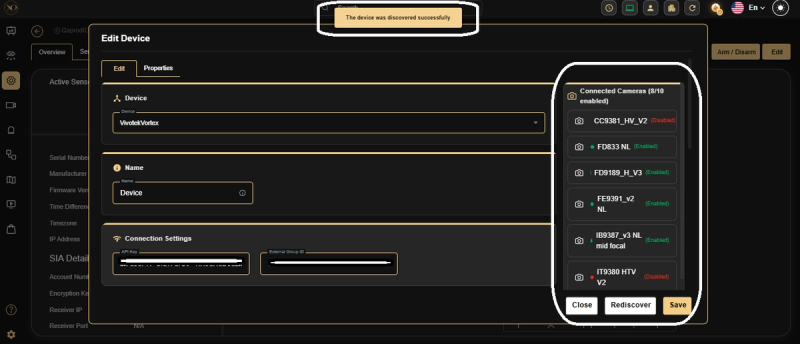
Step 8 — Click Save to complete the onboarding process
Step 9 — Verify the device status is online
Once added, the device will be available for monitoring and all supported functionalities.
Key Capabilities
After onboarding, the following features are available directly from GCXONE:
-
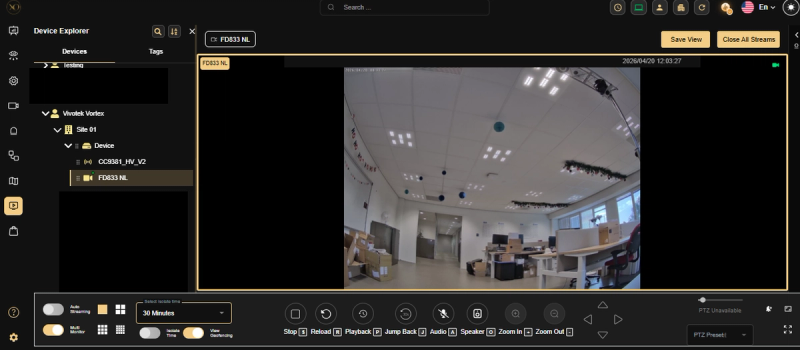
Live Streaming— Enables real-time monitoring of video feeds directly within GCX-One.
-
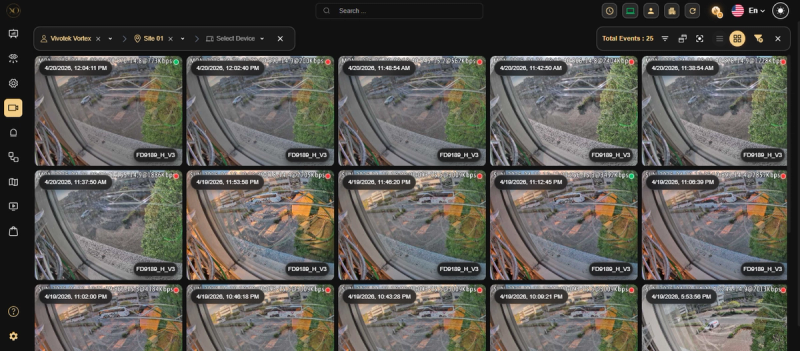
Events Monitoring— Device-generated events will be visible in the Events section, allowing users to track and review activities.
-
Playback — Access recorded video footage for review and investigation
-
Jumpback — Quickly navigate to recent video segments for faster analysis
-
I/O Control — Input/Output operations with connected devices
-
Health Check — Monitor device status and connectivity
-
Arm/Disarm — Control device security modes
Related Resources
- For adding devices to GCXONE, refer to Add a Device to GCXONE
- For contacting support, refer to Contact Support