Export
What Export Does
The Export feature allows administrators to download data from GCXONE as a structured file. It is available across multiple levels of the platform hierarchy, giving users the ability to extract and save the data that is most relevant to their operational or reporting needs.
Why It Matters
Administrators and operators often need to share, archive, or analyze platform data outside of GCXONE. The Export feature makes this possible with a single click — no manual data collection required.
How It Works
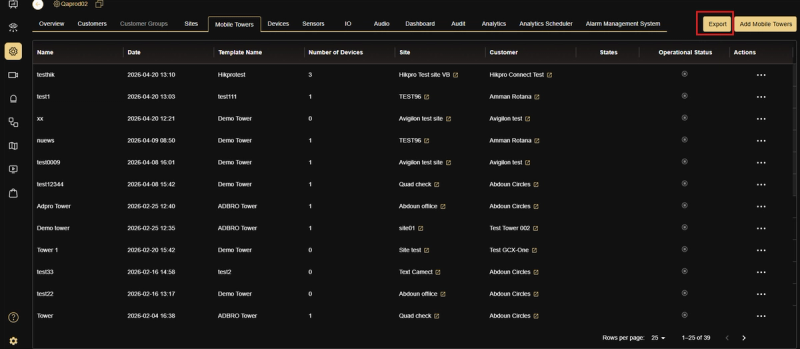
The Export button appears in the top right corner of the relevant tab. Clicking it triggers an immediate download of the currently displayed data. Export is available at the following levels:
Customers Exports a list of all customers, including their associated details such as name, contact information, and account status.
Sites Exports a list of all sites, including Sync Status, Customer, Email, Location Info, Company Name, and Active status.
Mobile Towers Exports a list of all mobile towers, including Name, Template Name, Number of Devices, Site, Customer, States, and Operational Status.
Devices Exports a list of all devices, including Device name, Date, Type, Site, Customer, Active status, and Audio status.
Sensors Exports a list of all sensors, including Sensor name, Date, Device, Site, Device Type, Manufacturer, Zone, Audio, and Active status.
IO Exports a list of all IO entries, including ID, Date, Device, Name, Site, Type, Show on Map, and Show on Salvo.
Related Resources
- For platform hierarchy and structure, refer to Organization & Hierarchy Setup
- For contacting support, refer to Contact Support