TimeSync
What TimeSync Does
TimeSync automatically synchronizes the time and timezone of every connected device across all your sites. It pushes the correct settings continuously keeping every camera, alarm, and log locked to one verified timeline, with no manual intervention needed.
Why It Matters
Mismatched timestamps are more than an inconvenience. They create confusing timelines, cause teams to miss critical details, and produce records that don't hold up when it counts. In a compliance audit or security investigation, even a few seconds of drift can turn a straightforward review into hours of extra work, or worse.
TimeSync eliminates that risk. It delivers 100% device synchronization, cuts investigation time by 80%, and enables teams to monitor 200+ additional sites without adding staff. For business leaders, accurate and legally defensible records translate directly to cost savings, anywhere from €10k to €100k annually through avoided legal exposure.
How It Works
TimeSync connects to all devices managed within GCXONE and automatically pushes the correct time and timezone settings. The sync runs continuously, so devices stay accurate over time without anyone having to lift a finger.
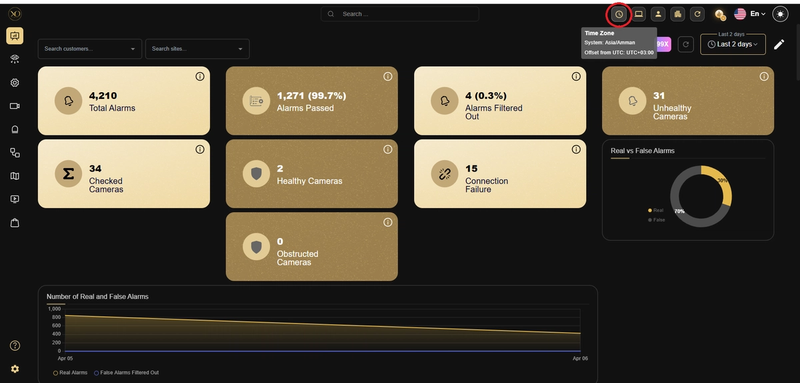
Figure 1: Time Zone Icon
Key Capabilities
- 100% Device Synchronization: Eliminates timestamp mismatches across all sites, so your timelines are always clean and consistent
- Automatic Timezone Management: Applies the correct timezone per site and per device, with no manual configuration needed.
- Trusted Evidence: Every frame carries an accurate, legally defensible timestamp
- Seamless Sync at Scale: Works across thousands of devices simultaneously without performance issues
- Zero Drift: Once set up, the system maintains accuracy on its own, with no IT intervention required.
Real-World Use Cases
- A security team investigates an incident across multiple camera feeds from different sites. Because TimeSync keeps all devices aligned, they reconstruct the full timeline in minutes instead of hours.
- An organization undergoes a compliance audit. TimeSync ensures all recordings carry accurate, verifiable timestamps - creating tamper-proof records that hold up without dispute.
- A device restarts after a power outage and its clock resets. TimeSync automatically re-syncs it when it comes back online, preventing any gaps in the recording timeline.
- A manager oversees operations across sites in different timezones. TimeSync ensures each device shows the correct local time, preventing cross-site confusion during investigations.
Additional Details
Automatic time synchronization is currently supported for HikVision and Dahua devices only.
For all other device types, the Timezone field is still available for manual configuration. However, automatic time synchronization via TimeSync is not supported outside of HikVision and Dahua.
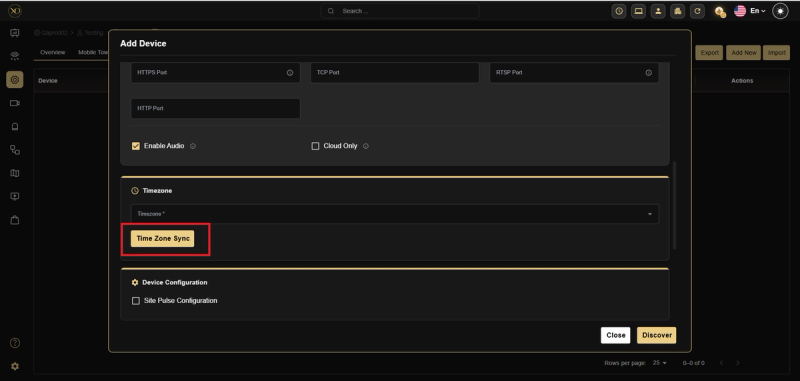
Figure 2: Time Zone Sync for HikVision and Dahua devices